Design the visual sequence
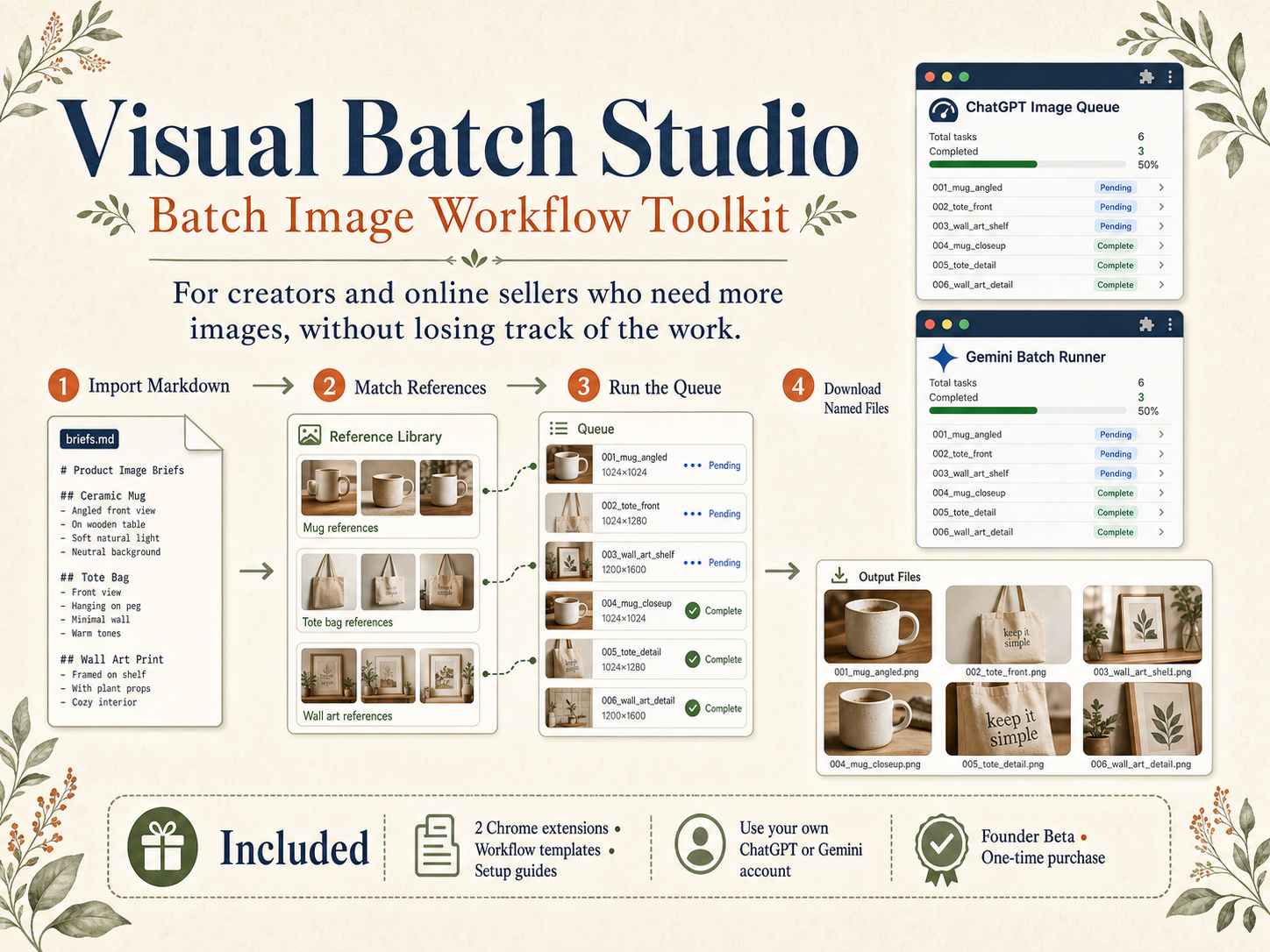
Break a video into scene prompts inside a reusable Markdown structure. Every scene gets its own task code and output filename.
Founder beta Built for visual-first YouTube creators
Plan every scene in one Markdown brief, keep references consistent, and generate the full visual batch through ChatGPT or Gemini—without copying, pasting, attaching, and renaming one image at a time.
Join 10 Founder Beta CreatorsGet the current toolkit and help shape the next release.
Uses your existing ChatGPT or Gemini account. No API key. No promise of bypassing platform quotas.
The production bottleneck
A calmer production system
Break a video into scene prompts inside a reusable Markdown structure. Every scene gets its own task code and output filename.
Add character, product, or style references once. Bind them globally or to selected scenes so the batch stays visually coherent.
Generate the selected queue, redo weak frames, skip finished scenes, pause between tasks, and resume from the right checkpoint.
YouTube Creator Edition
Made for faceless channels, documentary essays, explainers, story channels, and creators who need dozens of related visuals for every upload.
Turn each narrative beat into a trackable image task instead of improvising scene by scene.
Reuse named references across an entire episode or series.
Download files with the task names you planned, in the sequence you expect.
Keep the strong images, re-run only the weak ones, then continue the untouched queue.
What Founder Beta includes
ChatGPT Image Queue and Gemini Batch Runner, with the same queue language and recovery controls.
Next workflow
We are adapting the same system for sellers who need coordinated listing sets: hero images, lifestyle scenes, detail views, color variants, and brand-consistent campaigns.
In development — not included in the current Founder Beta.
Founder Beta
One-time early access for the first beta cohort.
Creator Edition · both platforms · beta materials · updates during the beta edition
Straight answers
No. It organizes and runs your prompts through your existing ChatGPT or Gemini browser session.
No. Your plan, model availability, quotas, safety rules, and platform terms still apply.
It automates the repetitive queue, but browser UI automation can need supervision, especially when a platform changes its interface or requests user input.
Creators already producing image-heavy videos who can test the workflow on real projects and report repeatable blockers.
Privacy Policy
Effective July 20, 2026 · Publisher: Image Queue Tools · support@visualbatchstudio.com
The extensions handle Markdown and prompt text, project and task names, output filenames, settings, queue status, selected reference images, generated-image URLs, download status, and the minimum visible page content needed to run the user-requested workflow.
Prompts, settings, queue status, and reference images are stored locally in your browser. We do not operate a server that receives this data and do not use analytics or advertising trackers. When you start a task, selected prompts and references are sent directly through your existing session to ChatGPT or Gemini under those services’ terms and privacy policies.
We do not sell, rent, share, or use user data for advertising, profiling, credit decisions, or unrelated purposes. Local data remains until you use Clear All, clear extension storage, or uninstall. Downloaded files remain under your control.
The extensions use HTTPS pages and browser-provided storage and download APIs. Use of information received from Google APIs will adhere to the Chrome Web Store User Data Policy, including the Limited Use requirements.
The extensions are not directed to children under 13. Material changes will appear here with a revised effective date.
Support
For installation help, beta feedback, bugs, privacy questions, or deletion requests, email support@visualbatchstudio.com.
Include the extension version, Chrome version, platform/model, visible error, and a screenshot with private content removed.
Email support →Terms & Beta Policy
Your purchase grants a personal, non-transferable license to use the delivered extensions and workflow materials. Do not resell, redistribute, publish, or represent them as your own. You are responsible for your prompts, references, generated content, and compliance with applicable law and platform terms.
Operation depends on your browser, account, plan, model access, quotas, network, and third-party interface changes. Beta software may contain defects and require manual recovery. We do not guarantee generation speed, output quality, uninterrupted operation, or permanent compatibility.
If installation or the core batch workflow cannot run in a supported environment, contact us within 14 days with enough information to reproduce the issue. Refunds are not offered solely for dissatisfaction with AI output, third-party quotas, account restrictions, or unsupported services. Mandatory consumer rights still apply.
The software is provided “as is” to the extent permitted by law. Nothing excludes rights or liabilities that cannot legally be excluded.